A free alternative to ReelTrip (reeltrip.app)
Compare ReelTrip with Reel to Trip: skip paid Pro paywalls, app downloads, and manual file imports for free, instant Instagram reel itinerary maps.
By The Reel to Trip team

The distance between saving an inspiring travel reel on Instagram and actually strolling down those cobblestone streets in person is where most travel plans fall apart. Tapping 'Save' on a video of a quiet espresso bar in Milan's Brera, a sunset cliff walk in Portugal's Algarve, or a tucked-away ramen counter in Tokyo's Shinjuku takes less than a second, yet turning a messy archive of clips into a functional daily walking route is notoriously time-consuming. Tools like ReelTrip arrived to tackle this exact dilemma, deploying artificial intelligence to extract place names from travel videos and map out day-by-day itineraries. However, ReelTrip reserves its deepest trip refinement capabilities behind paid Pro subscriptions, relies on cumbersome KML and GPX file transfers to interface with Google Maps, and enforces account onboarding before you can organize your saves. For travelers looking for an instant, browser-native itinerary mapper that converts saved Instagram reels into walkable neighborhood days with native one-tap Google Maps navigation, modern web alternatives deliver a refreshingly straightforward, booking-neutral alternative.
What is ReelTrip?
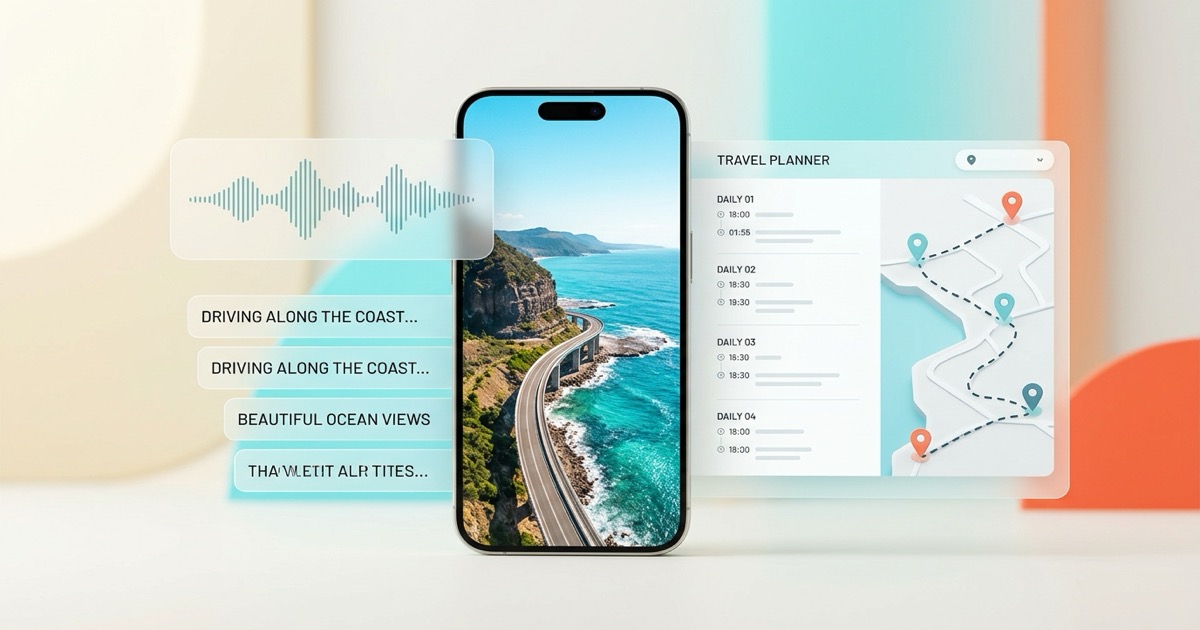
ReelTrip (reeltrip.app) is an AI-powered travel planning and short-form video discovery platform that converts travel clips into structured, day-by-day itineraries and interactive maps. It extracts places, addresses, and venues from video URLs, calculates transit times between stops, and pairs itineraries with creator video previews.
The platform functions as both an inspiration feed and an automated itinerary builder. Travelers can submit video links or upload short-form clips to automatically extract featured sights, restaurants, and hotels. ReelTrip plots these spots onto an interactive map, adds inline travel-time chips between stops, and features a public community board where users can explore and copy trips built by other travelers. It also supports importing existing Google Maps saved places by uploading KML files, alongside exporting itineraries as GPX files. While handy for travelers who enjoy social discovery feeds, ReelTrip locks deeper trip editing tools—such as automated schedule rebalancing, gap filling, and customized packing lists—behind a paid Pro upgrade, requires account registration, and depends on manual file downloads rather than direct one-tap mobile navigation.
Why do travelers seek an alternative to ReelTrip?
Travelers seek an alternative to ReelTrip because its advanced AI itinerary customization features are locked behind paid Pro tiers, and syncing places with Google Maps requires exporting and uploading manual KML files. Furthermore, ReelTrip requires user account creation and emphasizes community video feeds rather than acting as a fast, private planning canvas.
While an integrated creator feed and multi-platform importer suits social browsing, several notable friction points arise when organizing an actual vacation from saved clips:
- Paid Pro paywalls for itinerary refinement: While basic video extraction is available, ReelTrip gates essential travel-planning capabilities—such as automated itinerary gap filling, AI schedule rebalancing, and custom destination packing lists—behind paid Pro options. Reel to Trip provides automated neighborhood clustering and itinerary scheduling without recurring monthly subscription paywalls. Free plan: 1 trip, up to 5 reels; unlimited trips and reels: $5 one-time upgrade (no recurring subscription).
- Manual KML and GPX file workflows vs. 1-tap Google Maps export: ReelTrip asks users to download KML files from Google Takeout to import saved places, and exports routes through GPX files. When navigating a bustling city on foot, travelers want live navigation without downloading or converting spatial data files. Reel to Trip offers a direct 1-tap Google Maps button that immediately launches your daily walking cluster in your phone's native map application.
- Mandatory registration and onboarding steps: Using ReelTrip requires registering an account and completing setup prompts before you can analyze your saved travel clips. Reel to Trip operates out of the box in mobile Safari, Chrome, and desktop browsers with zero account creation or password barriers.
- Social community feed vs. clean personal workspace: ReelTrip pairs itineraries with creator video feeds, community boards, and commercial hotel recommendations. If you already have a curated collection of Instagram reels and simply want them mapped efficiently, community feeds add unnecessary clutter compared to a clean, focused, booking-neutral organizer.
- Automated multi-reel folder merging: Reel to Trip is built around a folder-first system: share or paste ten reels for a single destination, and the platform automatically de-duplicates overlapping venues and merges them into a cohesive multi-day vacation plan grouped by walking proximity.
- Direct Instagram DM forwarding: In addition to browser URL pasting, Reel to Trip lets you forward travel reels directly to @reeltripper on Instagram, where our engine parses them into your trip folder without leaving the app.
How do ReelTrip and Reel to Trip compare?
ReelTrip is a video-first discovery and itinerary platform that pairs social clip parsing with community feeds and paid Pro refinement tools, whereas Reel to Trip is a focused, browser-native planner that turns your saved Instagram reels into neighborhood-clustered walking days with instant Google Maps navigation.
Here is how the two platforms compare across key functionality:
- Core product philosophy: ReelTrip acts as a video-first travel discovery hub, blending creator video clips, community itineraries, and multi-source imports with paid Pro customization tools. Reel to Trip is a dedicated, distraction-free planning utility built to convert saved Instagram reels into organized, walkable itineraries without selling subscriptions or travel inventory.
- Pricing and paywalls: ReelTrip offers free baseline extractions but restricts deeper AI trip rebalancing, gap filling, and packing lists to paid Pro options. Reel to Trip uses a transparent model: Free plan: 1 trip, up to 5 reels; unlimited trips and reels: $5 one-time upgrade (no recurring subscription).
- Google Maps integration: ReelTrip handles Google Maps connectivity via manual KML imports and GPX file downloads. Reel to Trip provides an instant, 1-tap Google Maps button that immediately launches turn-by-turn walking directions for your daily cluster in your mobile browser.
- Account requirements: ReelTrip requires account sign-up and onboarding before organizing trips. Reel to Trip works out of the box in Safari, Chrome, and desktop browsers with zero registration or password setup.
- Instagram submission options: ReelTrip requires copying and pasting video URLs into its app or web interface. Reel to Trip allows you to paste URLs into your browser or forward reels directly via direct message to @reeltripper on Instagram, merging clips automatically into your destination folder.
- Itinerary clustering: ReelTrip provides linear chronological routes with travel-time chips. Reel to Trip automatically clusters proximate attractions by neighborhood, creating balanced morning and afternoon walking segments to eliminate wasted cross-city transit time.
How can you turn saved Instagram reels into a trip itinerary for free?
You can turn saved Instagram reels into a trip itinerary for free by pasting your bookmarked reel links into Reel to Trip or DMing them directly to @reeltripper on Instagram. The AI parses the video audio, captions, and on-screen text to identify verified venue coordinates, groups nearby sights into walkable daily schedules, and launches your route directly in Google Maps at zero cost.
- Gather your saved destination reels: Open Instagram and navigate to the saved collection you've curated for your trip (such as 'Tokyo Food & Shrines' or 'Lisbon Highlights'). Copy the links of the travel reels featuring places you want to visit.
- Submit your links to Reel to Trip: Head to Reel to Trip in any mobile or desktop web browser and paste the URLs into the planner input, or forward the clips directly to @reeltripper via Instagram DM. The engine analyzes video frames, audio commentary, and caption text to extract each exact location and verified address.
- Review your automated neighborhood clusters: Reel to Trip automatically groups geographically close spots into morning and afternoon walking blocks, ensuring you don't waste hours traveling back and forth across town.
- Export your walking itinerary to Google Maps in one tap: Click the Google Maps export link to open your day-by-day walking route directly on your phone, complete with live business hours, walking directions, and offline navigation capabilities.
Which tool should you choose for your next trip?
Choose ReelTrip if you want a community-focused travel discovery app where you can explore creator video feeds, check travel-time chips between stops, and don't mind managing KML or GPX files and navigating Pro subscription upgrades. Choose Reel to Trip if you have a collection of Instagram travel reels and want an instant web planner that turns your saved videos into walkable neighborhood days with native Google Maps navigation.
For travelers planning upcoming holidays, explore our foundational walkthrough on how to turn Instagram reels into a trip itinerary, read our comprehensive category overview of tools that turn Instagram reels into trips compared, or browse our detailed alternatives including a free alternative to Zavio (zaviotravel.com), a free alternative to Roveo (roveotrip.com), a free alternative to Tourific (tourific.ai), a free alternative to Travelasan (travelasan.com), a free alternative to Ready to Echo (readytoecho.com), a free alternative to Sanchariq (sanchariq.com), a free alternative to Airial (airial.travel), a free alternative to Otta (otta.travel), a free alternative to Tripizt, a free alternative to Landcode (landcode.io), a free alternative to Travo (travo.me), a free alternative to Alike (alike.io), a free alternative to Stashr AI, a free alternative to Reelnest (reelnest.pro), a free alternative to Feedtrip (feedtrip.app), a free alternative to Pintra, a free alternative to Places (places.is), a free alternative to TripMemo, a free alternative to Tint, a free alternative to Rhyme, a free alternative to Klad, a free alternative to Tabi, a free alternative to Clipmap, a free alternative to TravelTreasure, a free alternative to Plany, a free alternative to Dreamfare, a free alternative to the Wander travel app, and a free alternative to the Wingman travel app. You can also discover how travel apps differ from traditional custom maps in Google My Maps vs travel apps or master organizing your saved content with our guide on how to turn an Instagram saved folder into a trip itinerary.