A free alternative to VideoToTextAI (videototextai.com)
Compare VideoToTextAI with Reel to Trip: skip $20/month transcription fees, credit caps, and text-only dumps for direct Instagram reel itinerary mapping.
By The Reel to Trip team
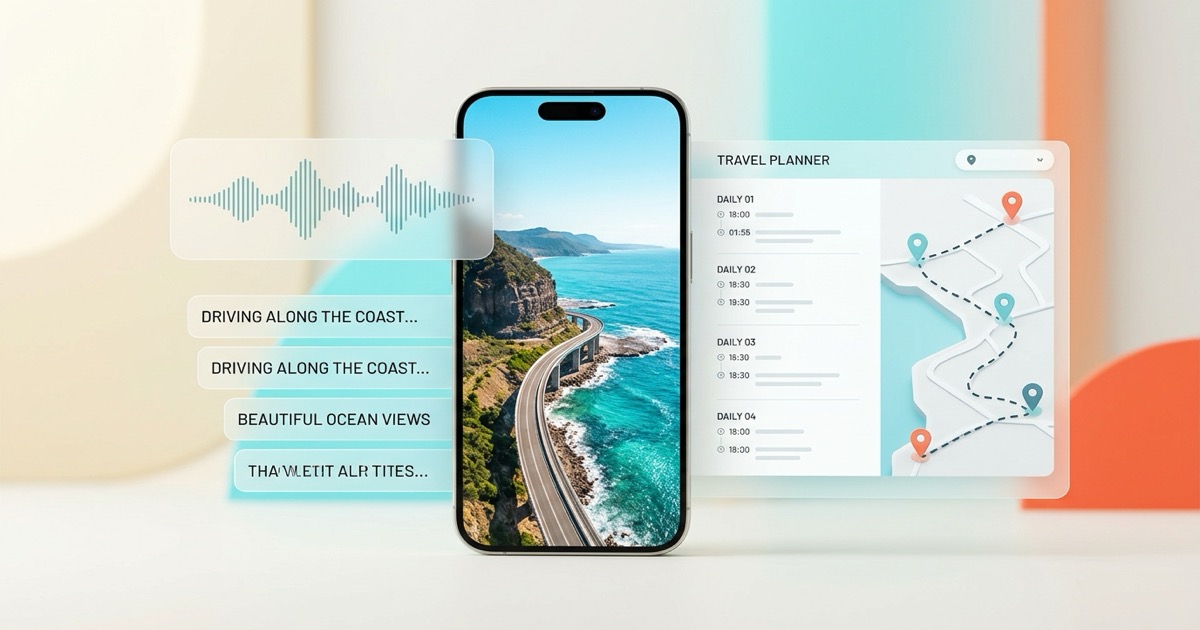
Finding travel inspiration on Instagram has never been easier, but converting dozens of bookmarked reels into an organized, walkable vacation plan remains frustratingly tedious. In response, several audio and video utilities—such as VideoToTextAI—have introduced specialized features like a 'Travel Reel Location Extractor' to pull place names out of video links. While VideoToTextAI excels at transcribing spoken dialogue and creating content scripts for social media creators, it was never built for vacation logistics. It outputs unformatted text transcripts and location summaries, enforces a steep $20-per-month subscription with strict credit ceilings, caps free-tier users to two links every 24 hours, and expires uploaded files after ten days. Travelers saving travel reels do not want raw text snippets or transcription credits. They want an interactive map, automatic neighborhood clustering, and live turn-by-turn walking directions in Google Maps, all without recurring SaaS fees.
What is VideoToTextAI?
VideoToTextAI (videototextai.com) is an AI-powered audio and video transcription platform designed primarily for content creators, marketers, and podcasters. It converts uploaded files or social media links from Instagram, TikTok, and YouTube into text transcripts, subtitles, and repurposed written content.
Among its suite of creator tools, VideoToTextAI features a specialized 'Travel Reel Location Extractor' designed to detect and list geographic venues mentioned within public travel videos. However, because VideoToTextAI is fundamentally a transcription SaaS rather than a dedicated travel utility, its architecture reflects creator workflows: it charges $20 per month (or annual billing) for professional transcription credits, limits free accounts to 60 monthly credits and just two link extractions per day, automatically purges files after ten days on free plans, and outputs text summaries rather than interactive maps. It lacks geographic clustering, cannot merge multi-reel collections for a single city, and provides no export mechanism to navigation apps like Google Maps.
Why do travelers seek an alternative to VideoToTextAI?
Travelers seek an alternative to VideoToTextAI because it outputs plain text transcripts instead of visual maps, charges an expensive $20 monthly subscription for video processing credits, and deletes files after 10 days on free tiers. Travelers planning vacations from Instagram reels need a visual itinerary that automatically clusters venues by neighborhood and exports directly to Google Maps walking routes.
When attempting to use a general transcription utility for travel planning, travelers run into several immediate roadblocks:
- Visual map pins vs. raw text transcripts: VideoToTextAI outputs a block of text listing transcribed words and extracted venue names. A list of restaurant names is only the first step of trip planning; you still have to manually look up each coordinate. Reel to Trip automatically plots every extracted cafe, landmark, and hotel onto an interactive map with verified addresses and opening hours.
- Intelligent neighborhood clustering vs. unorganized spot lists: VideoToTextAI has no concept of urban geography or walking efficiency. If a creator mentions a cafe in Montmartre followed by a dinner spot in Saint-Germain, VideoToTextAI merely prints them in chronological order. Reel to Trip uses geographic clustering to group nearby spots into walkable morning and afternoon blocks so you never zigzag across a metropolis.
- 1-tap Google Maps turn-by-turn export vs. manual copy-pasting: Navigating unfamiliar streets requires turn-by-turn walking directions. Because VideoToTextAI has no navigation integrations, travelers must manually search and pin each venue in Google Maps one by one. Reel to Trip generates a live Google Maps walking route with a single tap, loading your full sequenced day directly into the Google Maps app.
- Direct Instagram DM forwarding vs. dashboard upload friction: In VideoToTextAI, you must log into a web dashboard, navigate to their tools menu, and paste a link into a transcription form. Reel to Trip simplifies this to a single tap: forward your saved travel reels directly to @reeltripper on Instagram, and our engine automatically parses the footage in the background.
- Multi-reel destination merging vs. isolated single-link runs: Travelers rarely plan an entire vacation from a single 30-second clip; they save dozens of reels over months. VideoToTextAI evaluates each video in isolation. Reel to Trip allows you to assign reels to dedicated destination folders, automatically deduplicating spots and synthesizing multiple reels into one unified itinerary.
- Transparent pricing with zero monthly subscriptions: VideoToTextAI charges $20 every month for 1,200 transcription credits and restricts free users to 2 links every 24 hours. Reel to Trip provides a generous free tier of 1 trip and 5 reels with complete AI vision extraction and Google Maps routing. For travelers with larger backlogs, a single $5 one-time upgrade unlocks unlimited trips and reels forever with no recurring billing.
- Permanent itinerary access vs. 10-day file expiration: VideoToTextAI deletes uploaded files and generated transcripts after 10 days on free tiers. Vacations are planned weeks or months in advance. Reel to Trip preserves your trips permanently so your maps remain accessible whenever you travel.
How do VideoToTextAI and Reel to Trip compare?
VideoToTextAI is a media transcription and repurposing SaaS built for content creators who need subtitles and blog drafts, while Reel to Trip is a purpose-built, booking-neutral travel planner that turns saved Instagram reel collections into mapped, walkable itineraries with direct Google Maps navigation.
The table below highlights the foundational differences between both platforms:
- Primary purpose: VideoToTextAI generates speech-to-text transcripts, subtitles, and written marketing copy from video audio. Reel to Trip extracts physical locations from travel reels to build geographic itineraries and turn-by-turn walking routes.
- Extraction intelligence: VideoToTextAI relies on Whisper-based audio transcription to detect spoken words. Reel to Trip analyzes visual frames, on-screen street signs, audio voiceovers, and post metadata to catch locations even when unspoken.
- Mapping & routing: VideoToTextAI offers no mapping tools, route planning, or coordinate plotting. Reel to Trip includes interactive map pins, neighborhood clustering, and 1-tap Google Maps walking directions.
- Collection management: VideoToTextAI processes single links individually with no multi-video merging. Reel to Trip combines multiple reels into shared destination folders with automatic duplicate removal.
- Cost structure: VideoToTextAI requires a $20/month subscription (or credit packs) with a 2-link daily free limit. Reel to Trip offers a free tier (1 trip, 5 reels) and an affordable $5 one-time upgrade for unlimited lifetime use.
How to turn saved Instagram reels into a mapped trip with Reel to Trip
To turn saved Instagram reels into a mapped trip with Reel to Trip, forward your bookmarked reels to @reeltripper on Instagram or paste the reel URLs directly into the planner at reeltotrip.com. The AI extracts every restaurant, viewpoint, and hotel, groups nearby places into walkable daily blocks, and generates a direct 1-tap Google Maps walking route.
Here is the exact four-step workflow to go from a disorganized Instagram saved folder to an actionable travel itinerary:
- Collect your travel reels: Open Instagram and locate the travel reels you have bookmarked in your saved folder or destination collection. You do not need to download the video files or extract audio tracks.
- Send them to Reel to Trip: Forward the reels as a direct message to @reeltripper on Instagram, or copy the reel links and paste them into the web planner at reeltotrip.com. You can send multiple reels for the same city to build a comprehensive guide.
- Let the AI extract and cluster locations: Our multimodal engine analyzes video frames, on-screen street signs, audio voiceovers, and captions to identify each exact venue. It verifies geographic coordinates and clusters spots located in the same neighborhood.
- Export your walking routes to Google Maps: Review your sequenced itinerary by day, adjust stops to match your pacing, and tap the Google Maps button to open live walking directions on your phone for immediate navigation.
While VideoToTextAI remains a capable transcription utility for podcasters and video editors, travelers preparing for a real journey need visual maps, geographic logic, and seamless mobile navigation rather than raw text transcripts and monthly software subscriptions. Learn more in our complete guide on how to turn Instagram reels into a trip itinerary, compare other tools in our reel-to-trip tools breakdown, or explore alternatives like our BackIn5 comparison, Layla breakdown, and Mindtrip analysis.