A free alternative to the Wander travel app
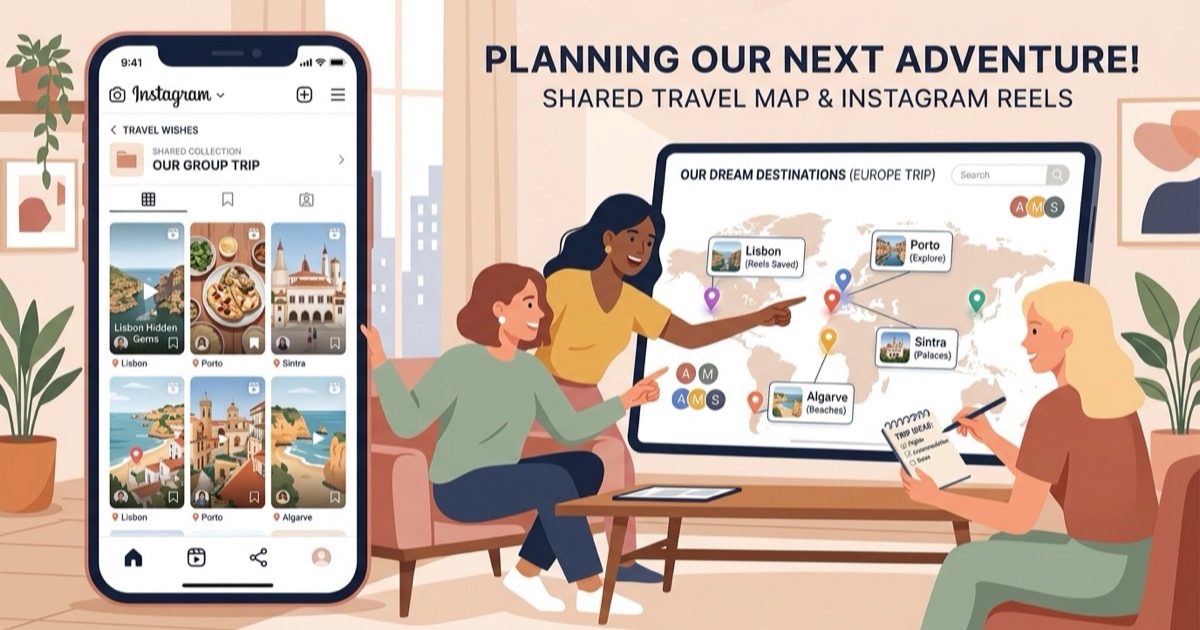
Looking for a free alternative to Wander? Turn Instagram reels into mapped itineraries without mobile app downloads, account logins, or 3D map lock-in.
By The Reel to Trip team

Social media video clips have revolutionized how travelers scout tucked-away trattorias, sunset coastal viewpoints, and vibrant neighborhood markets. Yet bridging the gap between a cluttered folder of saved reels and a functional vacation schedule remains a persistent challenge. Mobile apps like Wander (`wandermaps.com`, built by Wander Inc.) attempt to bridge this divide by scanning links from Instagram, TikTok, and travel blogs to plot places onto interactive 3D terrain maps. While Wander provides an engaging visual experience for exploring digital landscapes, it operates as a native mobile app on iOS and Android, requires user account creation, and keeps recommendations locked inside a proprietary 3D map viewer rather than organizing them into a structured, day-by-day vacation itinerary you can navigate in Google Maps.
For travelers seeking an open, browser-native tool that transforms saved Instagram reels into organized, neighborhood-clustered travel schedules with zero app store downloads, mandatory logins, or paywalls, Reel to Trip provides a free and straightforward alternative.
What is Wander and how does it work?
Wander (`wandermaps.com`) is a mobile travel mapping application that converts location recommendations from social media links into interactive 3D destination maps. Users paste links from Instagram reels, TikTok videos, Pinterest posts, or blogs into the app, where an AI extraction parser identifies mentioned venues and pins them onto custom 3D digital terrain models.
Created by Wander Inc., the software pairs social media video ingestion with digital cartography, offering visual discovery for tourist destinations and outdoor exploration. It allows users to build collaborative boards of saved places and explore destination maps. However, because Wander relies on custom 3D map engines, using the platform requires downloading native mobile apps from the Apple App Store or Google Play Store and registering an account to maintain your saved maps. The output remains centered around visual map exploration rather than generating actionable day-by-day itineraries with transit pacing.
Why look for an alternative to Wander?
Travelers look for an alternative to Wander to bypass mandatory mobile app installations, avoid account signups, and escape the limitations of proprietary 3D map viewers that cannot easily export to standard navigation apps. In addition, holidaymakers need automated neighborhood clustering that groups scattered places into realistic daily schedules rather than an unorganized cloud of map pins.
- Mandatory mobile app downloads: Wander is restricted to iOS and Android mobile devices via app stores. Travelers who prefer researching and organizing trips on a laptop, tablet, or desktop browser cannot simply open a web page and paste links.
- Account registration wall: You cannot organize or save mapped places in Wander without creating an account and logging in. Travelers planning a single quick trip often prefer lightweight utilities that require zero signup.
- Proprietary 3D map lock-in: Wander renders saved spots across custom 3D digital topography. While visually striking on a screen, proprietary 3D maps do not replace standard navigation tools on the street, where you need live walking directions, subway transit times, and offline Google Maps integration.
- Pin collection instead of daily schedules: Placing 30 pins on a 3D globe leaves you with an unorganized collection of spots. Wander does not automatically group venues by neighborhood proximity, calculate transit buffers, or balance your mornings and afternoons into executable vacation days.
How Reel to Trip compares to Wander
Reel to Trip differs from Wander by offering a completely free, browser-native itinerary planner that structures Instagram travel reels into day-by-day schedules without mobile app downloads or user accounts. Instead of confining your saved places to a proprietary 3D interface, Reel to Trip automatically groups spots by neighborhood proximity and exports the entire itinerary directly into Google Maps for walking navigation.
- Instant web access on any device: Reel to Trip runs directly in your browser on iPhone, Android, iPad, Mac, or Windows PC. There is no software to install from an app store, letting you plan from whichever screen you prefer.
- Zero account registration: You do not need to register, remember passwords, or give up personal credentials to build your travel plan. Simply paste reel links and begin mapping immediately.
- Intelligent daily neighborhood clustering: Rather than leaving you with isolated pins, Reel to Trip analyzes geographic distances across your saved reels. It groups proximate cafes, viewpoints, and cultural sights into coherent daily zones to eliminate unnecessary crisscrossing across town.
- One-click Google Maps export: When your travel plan is structured, you can export your daily schedule directly to Google Maps with a single tap, retaining turn-by-turn directions, operating hours, and offline cached maps on your phone.
- 100% free with no hidden tiers: All core features — including multi-reel parsing, automated daily pacing, and map export — are entirely free with no credit limits, subscription fees, or paywalls.
How to turn Instagram reels into an itinerary for free
To turn your saved Instagram reels into a mapped travel itinerary for free, copy the share links of your favorite travel videos and paste them into Reel to Trip's browser planner. The tool reads the captions and location tags, deduplicates venues, arranges them into geographically clustered daily schedules, and lets you export the entire route straight to Google Maps.
- Copy your saved reel links: Open your saved folder or destination collection in Instagram, tap the Share icon on each reel, and select "Copy link".
- Paste into the browser planner: Navigate to Reel to Trip in any mobile or desktop web browser and paste your links into the planner input.
- Review your daily clusters: The parser extracts venue names and coordinates, filters out duplicates, and organizes your recommendations into balanced morning and afternoon days.
- Export to Google Maps: Click export to send the clustered days into Google Maps, giving you live navigation, transit routes, and walking guidance ready for your getaway.
Moving from social media inspiration to a well-paced vacation should not require proprietary 3D apps or locked-in ecosystems. By extracting locations straight from your browser and syncing them to Google Maps, you spend less time wrestling with app downloads and more time enjoying your journey. For a deeper look at organizing multi-video plans, explore our complete guide on turning Instagram reels into a trip itinerary, check out our comprehensive comparison of tools that turn reels into trips, or see how we compare with other mobile tools in our guide to a free alternative to the Wingman travel app.