How to share Instagram saved places with friends
Want to share saved Instagram travel spots with friends? How collaborative collections work, their hidden limits, and how to map them together.
By The Reel to Trip team
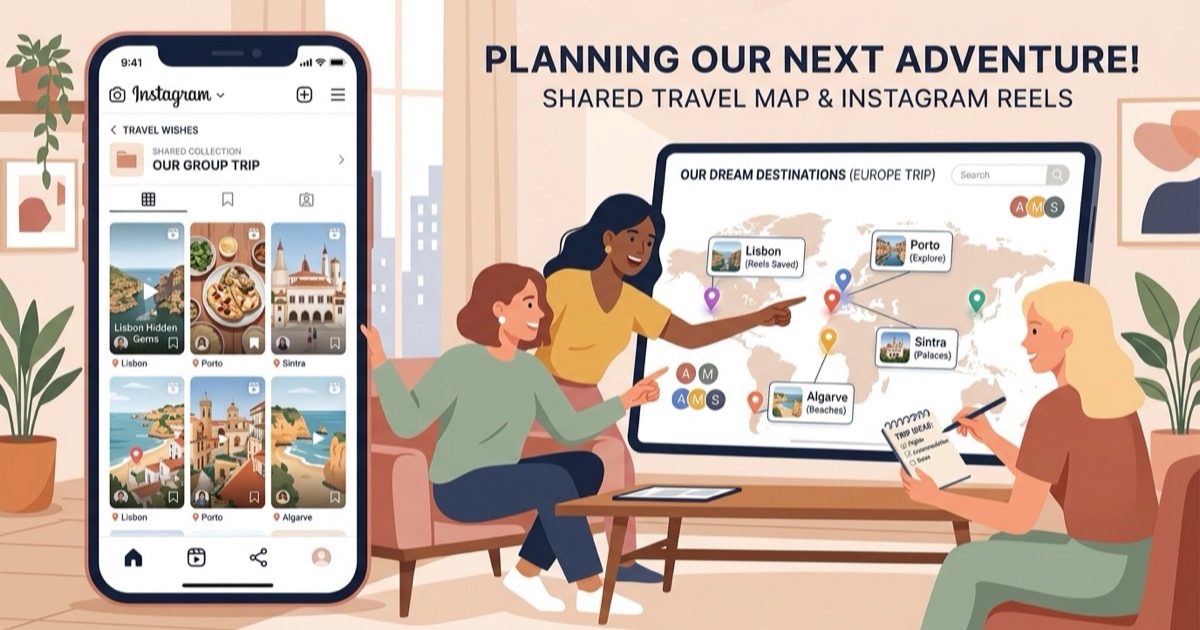
You have spent months bookmarking hidden courtyards in Seville, seaside trattorias in Puglia, and matcha cafes in Kyoto into your Instagram saved collections. Now you are planning a trip with friends or your partner, and you want them to see your recommendations. But the moment you try to share those saved places, you hit Instagram's walled garden: there is no public share link on your private folders, and no built-in map to show where anything is located.
Sharing saved places on Instagram requires navigating a confusing mix of private bookmarks, collaborative collections, and external mapping tools. Here is an honest breakdown of how Instagram's native sharing features work, where they break down for travel planning, and the fastest way to turn shared saves into a mapped trip everyone can use.
How do you share an Instagram saved collection with friends?
To share an Instagram saved collection with friends, you must create a Collaborative Collection either while bookmarking a post or from within a direct message chat, toggle on the "Collaborative" option, and select your friends. Instagram does not allow you to share existing private collections via a public link, so collaboration must be enabled at the moment the collection is created.
If you are starting from scratch on mobile:
- Tap and hold the bookmark icon on any post or reel you want to save.
- Select New collection from the pop-up menu.
- Name your collection and toggle Collaborative on.
- Choose the friend or group chat you want to share it with, then tap Save.
- Find your shared saves. The collection will appear under your profile's Saved tab and inside the details screen of that specific DM thread. Up to 250 friends in the chat can add or remove posts.
Can you convert an existing private collection to a collaborative collection?
No, Instagram does not currently allow you to convert an existing private saved folder into a collaborative collection. If you have already accumulated travel recommendations in a private folder, you cannot make it public or share it directly; you must create a new collaborative collection and manually re-save each reel one by one, or export the links into an external itinerary planner.
This is the single most common frustration for holidaymakers. By the time a trip is confirmed on the calendar, one person usually has thirty or forty reels already saved in a private folder named after the destination. Because Meta treats private saved collections as strictly personal account data, there is no one-tap conversion button. Re-saving dozens of individual reels into a new shared folder takes tedious manual effort, and posts saved from private accounts will remain invisible to any friend who does not follow that original creator.
Why Instagram collaborative collections fail at trip planning
While collaborative collections work reasonably well for casual social bookmarking, they break down when used as a functional travel planning tool:
- No interactive map view. Instagram displays your saved places as a flat grid of vertical video thumbnails. You cannot see whether three saved wine bars are on the same street or across opposite sides of the river.
- No neighborhood clustering or geographic pacing. When five friends add twenty reels each, the collection becomes an overwhelming wall of a hundred unsorted clips without geographical context or daily flow.
- No export to Google Maps or Apple Maps. There is no export button to push saved locations into navigation apps. When you land at your destination, you are forced to re-type every venue into Google Maps manually.
- Accidental deletion risk. Any member of the chat has full permission to remove posts from a collaborative collection, meaning a stray tap can wipe out a restaurant recommendation someone researched weeks earlier.
- Constant DM notification spam. In active group chats, saving a post to a collaborative collection triggers a notification to every participant in the thread, creating chat clutter.
How to turn shared Instagram saved places into a mapped itinerary
To turn shared Instagram saved places into a functional travel itinerary, copy the reel links from your saved collection or group chat and import them into Reel to Trip. Our AI watches the videos, extracts the specific restaurants, viewpoints, and hotels, clusters nearby spots by neighborhood, and plots them onto an interactive map with direct Google Maps export.
Here is the straightforward workflow:
- Gather the reel links from your group. When someone spots a venue on Instagram, have them copy the reel link (tap Share → Copy link) and drop it into your planning chat or directly into Reel to Trip.
- Let the AI extract the coordinates. Rather than pausing videos to squint at street signs or search captions, the engine identifies the exact venue, its neighborhood, and its geographic coordinates.
- Merge multiple contributions into one trip. All reels sent for the destination merge into a single unified itinerary. Ten reels shared by three different friends stop being ten disjointed video cards and become one coherent city map.
- Generate daily routes. Add your vacation dates, and the planner organizes nearby spots into balanced daily morning, afternoon, and evening segments. If you want a deeper playbook on handling conflicting group opinions, read our guide on how to plan a group trip from a chat full of reels.
Can you export Instagram saved places to Google Maps with friends?
Yes, you can export Instagram saved places to Google Maps for friends by using Reel to Trip to extract locations from your saved reels and exporting them into a shared Google Maps list. While Instagram provides no native export feature, external mapping tools automatically translate reel links into pinned coordinates that your entire travel group can open and navigate offline on any device.
Once exported, your group can open the shared Google Maps list on iOS, Android, or desktop without needing Instagram accounts or third-party app downloads. To see a detailed comparison of native screenshot scanning versus automated AI extraction, explore our guide on how to export Instagram saved places to Google Maps.
Collaborative collections vs dedicated travel planners
When deciding how your group should coordinate travel saves, consider the structural trade-offs between social bookmarking grids and travel mapping engines:
- Instagram Collaborative Collections: Best for casually sharing visual inspiration within an active DM thread. Free and built into the app, but lacks maps, routing, addresses, and export capabilities.
- Reel to Trip: Best for turning those shared reels into an actual vacation schedule. Browser-native, completely free with no DM limits, groups places by neighborhood, and exports directly to Google Maps.
- Direct Message Planning: If your travel group communicates primarily through direct messages, you can also forward reels directly to @reeltripper on Instagram to build a mapped plan without leaving the app. Learn the full messaging workflow in how to turn Instagram DMs into a trip itinerary.
For solo travelers organizing their own destination folders, check out our guide on how to turn an Instagram saved folder into a trip itinerary. If you are evaluating other tools across the market, read our breakdown of tools that turn Instagram reels into trips, compared.