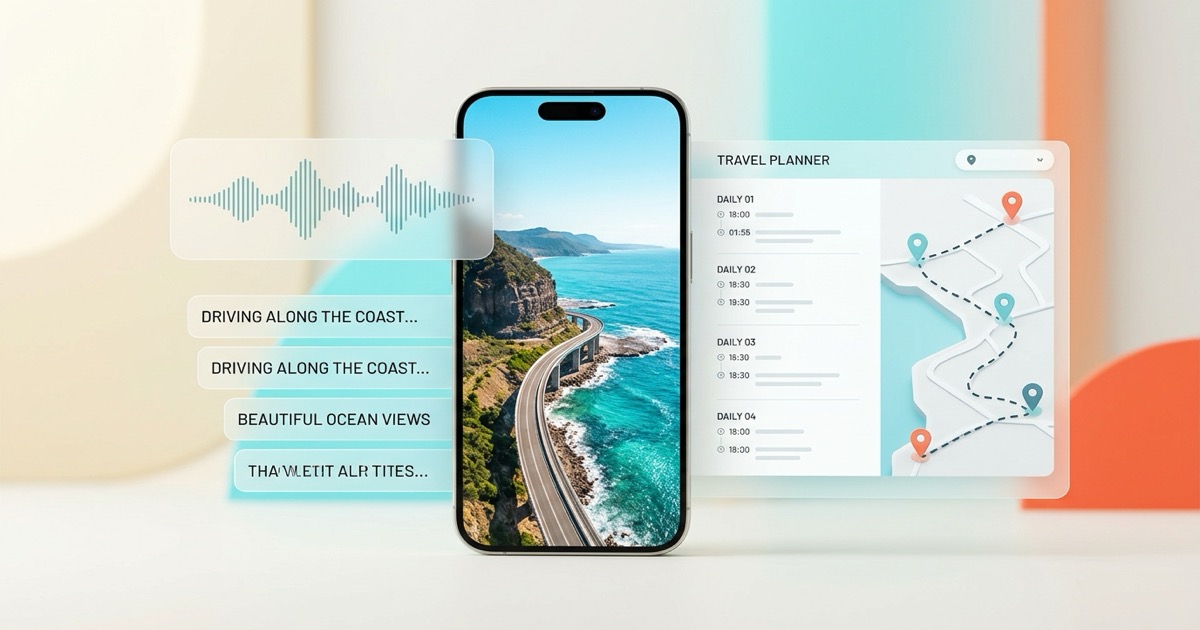
A free alternative to Tourific (tourific.ai)
Compare Tourific with Reel to Trip: skip app downloads, EV road-trip settings, and paid Pro tiers for free, instant Instagram reel itinerary maps.
By The Reel to Trip team
The bridge between discovering travel inspiration on Instagram and actually exploring a destination in person often breaks down at the planning stage. While saving reels of historic winding alleys in Edinburgh, rooftop cocktail lounges in Lisbon, or specialty matcha counters in Tokyo takes just a tap, organizing dozens of bookmarked clips into an actionable walking schedule is notoriously tedious. Applications like Tourific (alongside tourific.org) have entered this space by promoting an AI-driven system that translates creator videos into road trips and day itineraries. However, Tourific's software is heavily oriented around highway driving logistics—factoring in electric vehicle charging networks, recreational vehicle clearance limits, fuel expenses, and spoken audio narrations. For travelers who simply want a lightweight, browser-based planner that automatically merges their saved Instagram reels into day-by-day walking itineraries with instant Google Maps navigation, modern web alternatives provide a much cleaner and more direct workflow.
What is Tourific?
Tourific (tourific.ai) is an AI-powered travel and road trip planning app available on iOS and Android that turns creator travel videos and text prompts into driving routes, day trips, and GPS-triggered audio guides. It focuses heavily on vehicle-specific journey management, generating specialized turn-by-turn routes for standard gas automobiles, electric vehicles (EVs) with battery charging intervals, and recreational vehicles (RVs) with height and weight clearance safeguards.
In addition to road routing, Tourific provides an in-app discovery feed where travelers can browse creator travel videos, select individual spots of interest into a temporary 'Trip Tray', and generate a suggested route using an interactive conversational AI co-pilot. The application also bundles self-guided walking tours and highway audio commentary that triggers automatically based on smartphone geolocation. While useful for long-distance driving expeditions, Tourific requires native app installation, user account creation, and gates unlimited itinerary generations and advanced routing tools behind a paid Tourific Pro subscription tier.
Why do travelers seek an alternative to Tourific?
Travelers seek an alternative to Tourific because its complex road-trip features—such as EV charging calculations, RV clearance checks, and driving-time algorithms—introduce unnecessary friction when planning city walking vacations from saved reels. Many explorers also want to avoid mandatory app downloads and paid subscriptions, preferring an open web tool that exports directly to Google Maps.
While vehicle-oriented features benefit highway road-trippers, several distinct bottlenecks emerge for travelers organizing urban vacations from social media:
- Highway driving logistics vs. urban walking exploration: When you save 25 Instagram reels highlighting bakeries in Paris's Le Marais or vintage boutiques in Amsterdam's Jordaan, you do not need battery state-of-charge curves, RV bridge clearance warnings, or highway toll calculators. You need high-density neighborhood clustering and realistic pedestrian walking loops.
- App store downloads and registration gates: Tourific operates as a native mobile application on the Apple App Store and Google Play Store, requiring account registration before you can assemble a trip. When brainstorming vacation concepts on a desktop browser or organizing links on the fly, having to install an app and create a login adds unnecessary friction.
- Proprietary in-app routing vs. direct Google Maps export: Tourific keeps generated itineraries and navigation routes locked within its proprietary app interface. On the ground in a foreign city, travelers rely heavily on Google Maps for live walking navigation, transit schedules, and offline access. Tourific lacks an instant 1-tap export that converts your clustered reel locations into native Google Maps walking routes.
- In-app video discovery vs. open Instagram reel ingestion: Tourific primarily encourages users to browse videos curated inside its own platform ecosystem or compile spots via its Trip Tray. Reel to Trip, by contrast, provides an open input pipe: paste any public Instagram reel link or forward clips in direct messages, and the system immediately extracts the venues.
- Subscription paywalls and Pro tiers: While Tourific provides a limited trial experience, extensive trip generation, advanced customization, and premium audio guides require a recurring Tourific Pro subscription. Reel to Trip uses a clear model: Free plan: 1 trip, up to 5 reels; unlimited trips and reels: $5 one-time upgrade (no recurring subscription).
How do Tourific and Reel to Trip compare?
Tourific and Reel to Trip serve different travel styles and technological formats. Tourific is a native mobile road trip app designed for vehicle routing, fuel and EV charging calculations, and GPS-guided highway audio tours with paid subscription tiers, while Reel to Trip is a focused, zero-download web tool that consolidates Instagram reels into neighborhood-clustered city itineraries with 1-tap Google Maps walking exports.
Here is how the two platforms compare across essential features:
- Primary travel focus: Tourific is engineered for highway road trips, EV battery range optimization, RV road constraints, and highway audio storytelling. Reel to Trip is built specifically for city breaks and cultural holidays, transforming saved social media videos into walkable neighborhood days.
- Access and installation: Tourific requires downloading a mobile application from iOS or Android app stores and completing user sign-up. Reel to Trip runs instantly in any web browser on desktop or mobile with zero installation and no mandatory accounts.
- Instagram reel support: Tourific relies mainly on internal creator video clips and manual prompt inputs. Reel to Trip allows you to paste any Instagram travel reel URL directly into the browser or DM reels to @reeltripper, automatically extracting verified venue coordinates.
- Multi-reel folder merging: Tourific plans individual driving routes stop-by-stop. Reel to Trip automatically ingests dozens of reels for a single destination, de-duplicates venues, and organizes them into a cohesive multi-day itinerary.
- Navigation and map output: Tourific displays routes inside its proprietary dashboard. Reel to Trip generates a live 1-tap Google Maps export button, loading turn-by-turn walking routes directly into your phone's native map application.
- Cost and pricing: Tourific gates premium features and unlimited planning behind Tourific Pro subscriptions. Reel to Trip offers a transparent structure: Free plan: 1 trip, up to 5 reels; unlimited trips and reels: $5 one-time upgrade (no recurring subscription).
How can you turn saved Instagram reels into a trip itinerary for free?
You can turn saved Instagram reels into a trip itinerary for free by copying links from your saved Instagram collections and pasting them into Reel to Trip, which automatically extracts venue coordinates and clusters spots into daily walking routes. You can then immediately open the schedule in Google Maps on your phone without installing apps, setting up vehicle profiles, or paying subscription fees.
- Organize your saved destination reels: Open Instagram and collect the reels you have saved for your target city into a folder (such as 'Rome Architecture & Pasta' or 'Kyoto Cafes'). Copy the links to the videos containing the sights you want to visit.
- Drop your links into Reel to Trip: Open Reel to Trip in any mobile or desktop web browser. Paste your saved reel links into the planner. The AI reads video frames, on-screen text, audio transcripts, and captions to pinpoint the exact location and venue name of each spot.
- Let the AI cluster spots by neighborhood: Instead of zig-zagging across town, Reel to Trip automatically groups nearby spots by district and walking proximity, drafting logical morning and afternoon blocks for each day of your vacation.
- Launch turn-by-turn walking routes in Google Maps: Tap the Google Maps export link to send your planned itinerary directly to your phone's native Google Maps app, giving you live pedestrian navigation without leaving places trapped in a third-party app.
Which tool should you choose for your next trip?
Choose Tourific if you are embarking on a cross-country driving journey and need vehicle-specific routing for an electric car or RV, combined with GPS-triggered highway storytelling and fuel cost projections. Choose Reel to Trip if you have a collection of Instagram travel reels for a city break and want a free, instant web itinerary clustered by neighborhood with direct Google Maps walking routes.
For travelers planning upcoming holidays, explore our foundational walkthrough on how to turn Instagram reels into a trip itinerary, read our category overview of tools that turn Instagram reels into trips compared, or browse our detailed alternatives including a free alternative to Zavio (zaviotravel.com), a free alternative to Roveo (roveotrip.com), a free alternative to Travelasan (travelasan.com), a free alternative to Ready to Echo (readytoecho.com), a free alternative to Sanchariq (sanchariq.com), a free alternative to Airial (airial.travel), a free alternative to Otta (otta.travel), a free alternative to Tripizt, a free alternative to Landcode (landcode.io), a free alternative to Travo (travo.me), a free alternative to Alike (alike.io), a free alternative to Stashr AI, a free alternative to Reelnest (reelnest.pro), a free alternative to Feedtrip (feedtrip.app), a free alternative to Pintra, a free alternative to Places (places.is), a free alternative to TripMemo, a free alternative to Tint, a free alternative to Rhyme, a free alternative to Klad, a free alternative to Tabi, a free alternative to Clipmap, a free alternative to TravelTreasure, a free alternative to Plany, a free alternative to Dreamfare, a free alternative to the Wander travel app, and a free alternative to the Wingman travel app. You can also discover how travel apps differ from traditional custom maps in Google My Maps vs travel apps or master organizing your saved content with our guide on how to turn an Instagram saved folder into a trip itinerary.