A free alternative to Someday
Looking for a free alternative to Someday? Turn Instagram reels into mapped travel itineraries without app downloads, browser extensions, or account signups.
By The Reel to Trip team
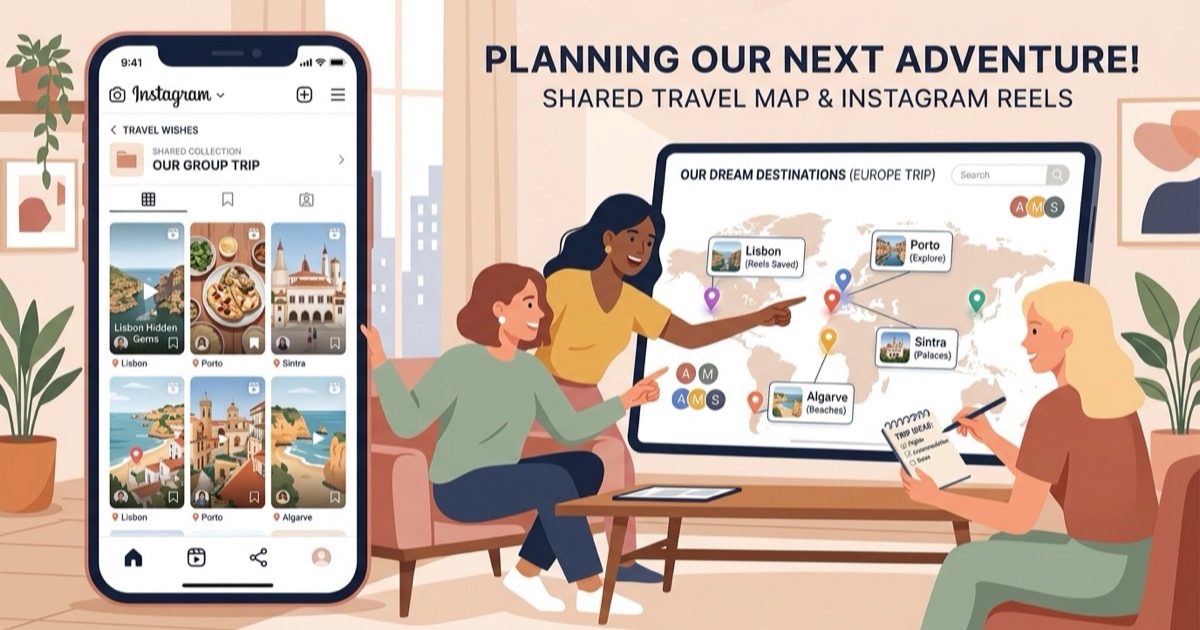
Social media has completely transformed holiday discovery, turning bookmarks and saved collections into endless feeds of boutique cafes, rooftop viewpoints, and scenic coastal lookouts. The hardest part of trip planning is no longer finding inspiring places; it is translating that chaotic library of short-form videos into a workable route on a map. Tools like Someday (`somedaymap.com` / `someday.so`) address this challenge by enabling travelers to save locations from social media and visualize them on personal maps. However, relying on mobile-only apps, browser extension installations, and manual bookmark curation can add unnecessary friction to trip planning.
If you want an open, browser-native alternative that turns your saved Instagram reels directly into geographic neighborhood clusters and scheduled travel itineraries without installing extensions or signing up for accounts, Reel to Trip offers a streamlined, fee-free solution.
What is Someday and how does it organize travel saves?
Someday is a map-based bookmarking tool available as an iOS mobile application and desktop browser extension that lets travelers capture places from social media posts and organize them onto interactive maps. It uses AI assistance (Dot) to help users categorize recommendations into personal collection folders and map views.
In Someday's ecosystem, travelers save locations using the iOS share sheet or Chrome extension, tagging spots by category or trip theme. While this visual bookmarking approach works well for cataloging individual places you might visit someday, converting those loose pins into a cohesive day-by-day vacation schedule still requires manual curation. Vacationers looking for automated route clustering and daily pacing often want a tool that builds complete itineraries automatically from video links.
Why do travelers look for a free alternative to Someday?
Travelers look for a free alternative to Someday to avoid mandatory mobile app downloads, desktop extension installations, account onboarding steps, and manual collection sorting. Many holidaymakers want an instant, web-based tool that automatically calculates neighborhood walking routes and generates day-by-day itineraries directly from Instagram URLs.
Key reasons travelers seek an alternative to Someday include:
- Zero downloads or browser extensions: Someday relies on an iOS mobile app or a Chrome extension to ingest social saves. An open web alternative runs directly inside any mobile or desktop browser without requiring store downloads or browser add-on permissions.
- Automated itinerary pacing over static bookmark lists: While Someday acts primarily as a digital pinboard for saving places, Reel to Trip automatically groups nearby venues into morning and afternoon neighborhood clusters with realistic daily transit times.
- No mandatory account registration: Someday requires account setup to store and synchronize your saved collections. Privacy-minded travelers often prefer a tool that allows instant multi-reel planning without login walls.
- Direct multi-reel destination merging: Rather than saving single venues one by one into collection folders, you can paste multiple reel links for a city and immediately see them merged into a unified travel plan.
How does Reel to Trip compare to Someday?
Reel to Trip differs from Someday by delivering a fully automated, browser-first itinerary generator built specifically for Instagram reels and direct message links. Instead of functioning as a static bookmark keeper, it analyzes video metadata, captions, and visual cues to construct structured multi-day itineraries with neighborhood-based routing.
When you plan with Reel to Trip, you paste your saved reel URLs for a destination. The engine extracts exact addresses, plots them on an interactive map, and organizes them into logical daily sequences so you never crisscross town unnecessarily. To see how different social travel tools compare across features and pricing, read our guide on tools that turn reels into trips.
To optimize your planning workflow across Instagram features, check out our in-depth guides on turning an Instagram saved folder into a trip itinerary, converting Instagram direct messages into an itinerary, and our complete overview on how to turn Instagram reels into a trip itinerary.
Can you export your reel itinerary to Google Maps?
Yes, you can export your entire reel itinerary directly to Google Maps or Apple Maps with a single tap. Once your itinerary is generated, Reel to Trip provides clickable map links and portable coordinate lists that open instantly on your phone for turn-by-turn navigation.
Exporting to Google Maps guarantees that all extracted restaurant coordinates, viewpoint locations, and daily walking stops are ready for offline use during your holiday. For detailed steps on moving your saved spots into your favorite navigation app, see our guide on how to export Instagram saved places to Google Maps.
You can also explore how we compare against other tools in the social travel space by checking our guides to a free alternative to Tote, a free alternative to Stardrift, a free alternative to RoamRecs, a free alternative to Turom, a free alternative to Dream Trip, a free alternative to Navia, a free alternative to DocentPro, a free alternative to Glide, a free alternative to Reelstrip, a free alternative to ReelTravel, a free alternative to Stasht, a free alternative to Triply, a free alternative to Plotline, a free alternative to ReelsToMap, and a free alternative to Hold My Pin.